Retiring IT equipment is not the end of risk. In many cases, it is where risk becomes harder to see.
A laptop that has left active use may still contain sensitive data. A server marked for replacement may still hold recoverable value. Network, telecom, storage, and power equipment may no longer support operations, but that does not mean they can be removed casually. Without a structured disposal process, organisations can lose asset value, weaken accountability, and create unnecessary exposure around data security and e-waste handling.
A well-run IT asset disposal process does more than clear space. It helps an organisation identify what it is retiring, determine which assets carry data risk, separate reusable equipment from true end-of-life stock, and maintain a clear record of what happened to every item.
This checklist is designed to help organisations in Kenya manage IT asset disposal with stronger control and better outcomes.
1. Create A Complete Inventory Before Any Asset Moves
Every controlled disposal process starts with visibility.
Before collection, transfer, or removal begins, create a complete list of the assets being retired. Include laptops, desktops, servers, storage devices, switches, routers, firewalls, wireless equipment, telecom equipment, printers, UPS systems, mobile devices, and removable media.
For each item, record the asset type, make, model, serial number, current location, owner, and visible condition. If the inventory is incomplete at the start, the entire disposal process becomes harder to control. It becomes difficult to verify what was collected, what required sanitisation, what still had reuse value, and what reached final disposal.
A practical way to structure the list is to group assets into categories such as end-user devices, data centre equipment, network and telecom infrastructure, peripherals, and clearly obsolete or damaged items.
2. Identify All Data-Bearing Devices
This is one of the most important control points in the process.
Many organisations focus first on laptops and desktops, but sensitive data may also reside on servers, storage systems, backup devices, external drives, phones, multifunction printers, and some network appliances. If these assets are not identified early, the disposal process can expose the organisation before it is even complete.
Flag all data-bearing assets in the inventory and note the likely sensitivity of the environment they came from. That may include employee records, customer information, financial data, internal documents, credentials, archived backups, and system configurations.
Once data-bearing devices are clearly identified, the organisation can make deliberate decisions about sanitisation, destruction, reuse, and reporting.
3. Separate Assets by Disposition Path
Not every retired IT asset should follow the same path.
Some equipment can be redeployed internally. Some can be repaired or refurbished. Some can be sold or remarketed. Others have reached end-of-life and should move to destruction or recycling. One of the most common mistakes organisations make is treating all retired equipment as waste, which leads to unnecessary value loss and weak disposal discipline.
A better approach is to classify each asset early into a clear path: redeploy, repair, resell, destroy, or recycle. That improves financial outcomes, strengthens planning, and prevents data-bearing or valuable assets from being mixed casually with obsolete stock.
Good IT asset disposal is not only about removal. It is also about deciding the right outcome for each asset class.
4. Choose The Right Data Sanitisation Method
Once data-bearing assets have been identified, decide how they will be sanitised.
Some devices are suitable for secure data wiping, particularly when they remain functional and are intended for redeployment, resale, or controlled reuse. Others require physical destruction, especially where the media is damaged, highly sensitive, or no longer intended to remain in circulation.
The right choice depends on asset condition, data sensitivity, internal policy, and the level of proof the organisation expects to retain, so sanitisation should be selected deliberately and recorded clearly.
5. Maintain Chain of Custody During Collection and Transfer
Control begins at handover.
From the moment equipment leaves an office, branch, server room, or storage area, the organisation should be able to account for where it went, who handled it, and what happened next. That requires collection records, matched counts against the asset list, controlled transfers, and clear tracking throughout the handling process.
This is especially important for devices that contain or may contain sensitive data. Without chain-of-custody discipline, even a technically sound destruction or recycling process becomes harder to trust. A handling gap can weaken confidence in the entire exercise.
A secure disposal process begins when the asset first leaves your control.
6. Keep Documentation Aligned to Each Final Outcome
Disposal is only complete when the organisation has a clear record of what happened.
That means documenting which assets were redeployed, repaired, sold, destroyed, or recycled. These outcomes should not be lumped together under vague descriptions such as disposed or cleared. Each path represents a different business, compliance, and operational result.
This way, the leadership understands what value was recovered, operations teams assess lifecycle performance more realistically, and compliance teams show that assets were handled properly from retirement to final outcome.
An empty storeroom is not evidence of a good process. Clear records are.
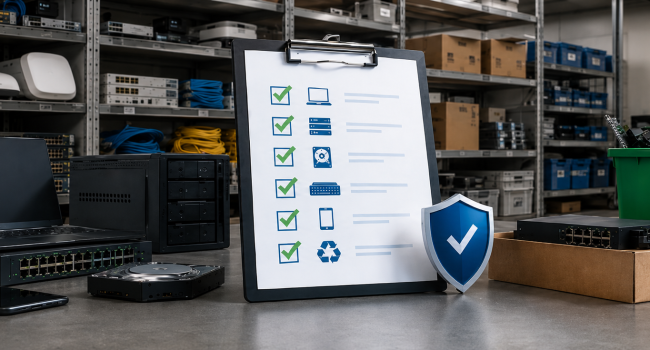
Final IT Asset Disposal Checklist
Before retiring any IT assets, confirm that your organisation has:
- created a complete inventory of all retiring equipment
- identified all data-bearing devices
- classified each asset by reuse, repair, resale, destruction, or recycling path
- selected the right sanitisation method for each relevant asset group
- established chain-of-custody controls for collection and transfer
- prepared the records needed for each final outcome
- separated reporting across redeployment, resale, destruction, and recycling
- engaged a qualified ITAD partner where external support is required
Dispose Of IT Assets with Better Control
For organisations in Kenya, a practical IT asset disposal process should start when the organisation decides to manage retired technology with the same discipline it applies to active infrastructure.
That means identifying data risk before assets move, separating reusable equipment from true end-of-life stock, maintaining control during collection and transfer, and keeping clear records of final outcomes. Done properly, IT asset disposal protects sensitive data, improves asset visibility, and ensures retired equipment is handled responsibly.
RefHub helps organisations in Kenya manage retired IT assets through secure data destruction, repair and reuse, value recovery, and responsible end-of-life handling. If your organisation is preparing to retire laptops, servers, storage devices, network equipment, or other ICT assets, now is the right time to put a proper disposal process in place.